LiftLogic
Start with two watermelons. See where it goes.
Every workout you finish adds its kilos to your bar. Keep showing up and the two watermelons turn into two dogs, two pianos, two cars, two T. rexes. LiftLogic plans the sessions and keeps the count.

★ 4.6 App Store · Free · No account · iOS & Apple Watch
How the bar
works
Train, then do the small stuff.
Finish your planned session and its kilos go on your bar: every set times reps times weight your plan asked for. Then a journal check-in, a logged meal and a look at your recovery score each add a little more, until the lift is locked out. Bodyweight work counts too.
The bar fills.
Your kilos add up into one total, and the bar carries the biggest pair that total weighs, one on each end. There are 23 of them. Two watermelons are 20 kg. Two grand pianos are 900 kg. Two T. rexes are 16 tonnes. Two Eiffel Towers are 20,200 tonnes.
- Two watermelons, 20 kg
- Two golden retrievers, 70 kg
- Two grand pianos, 900 kg
- Two hatchbacks, 2.6 tonnes
- Two T. rexes, 16 tonnes
- Two humpback whales, 60 tonnes
- Two Eiffel Towers, 20,200 tonnes
Miss days and it slips. Never to zero.
Miss a planned training day and nothing happens: that is your grace day. Keep missing and the load starts to slide, a little at first. But anything you have lifted stays lifted: the bar never drops below the last pair you reached. Rest days and deload weeks never count against you, and when you come back your sessions count double until you are back to your best.
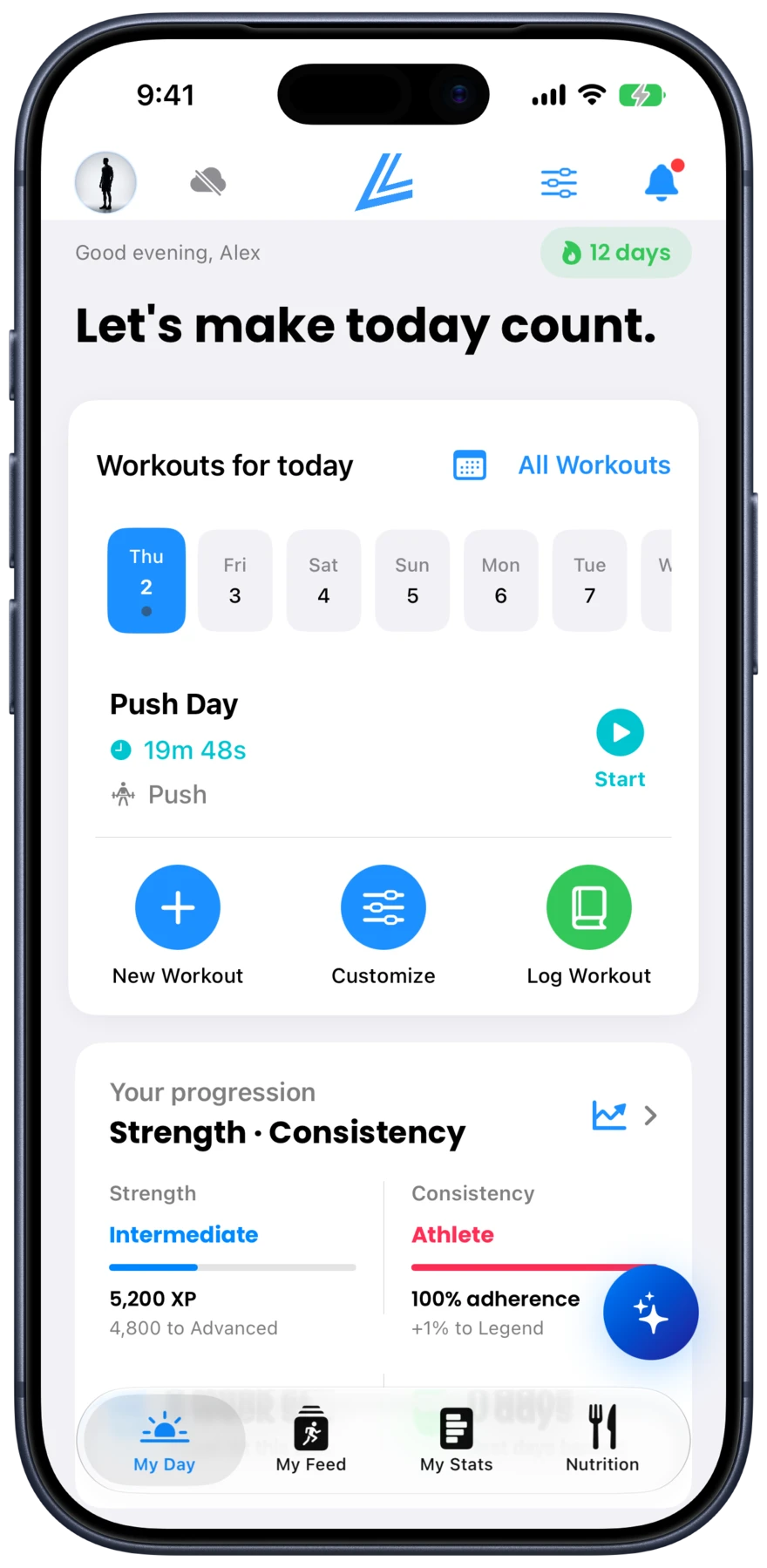
Your day
Show up. The plan is waiting.
Your bar and today's workout on one screen. See what you are lifting and how many days on plan you have, before you have had coffee.
Your numbers
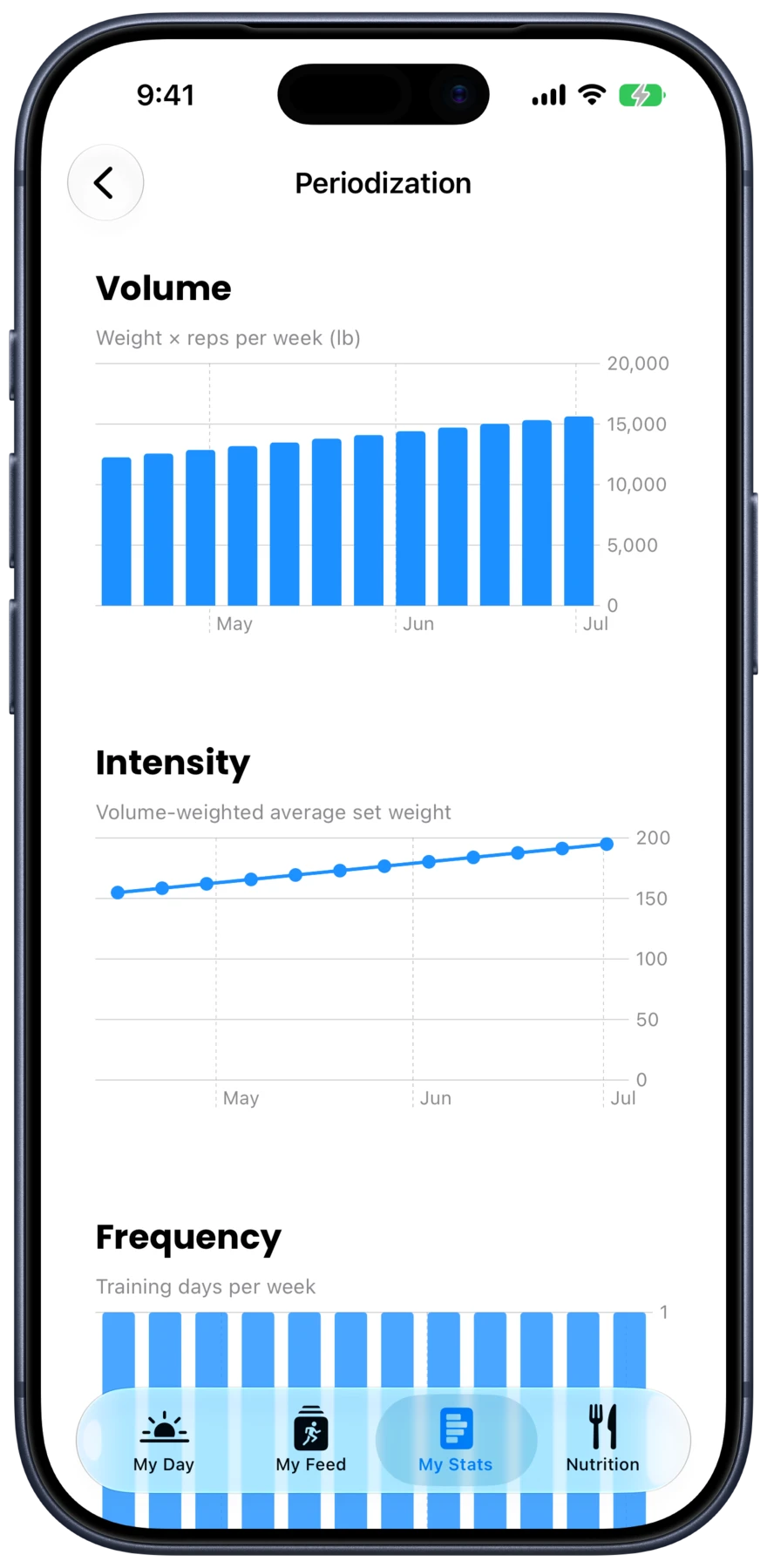
Stronger. Week after week.
Your training load, charted over time. See whether you are building, maintaining or recovering, before you feel it.
Your trajectory
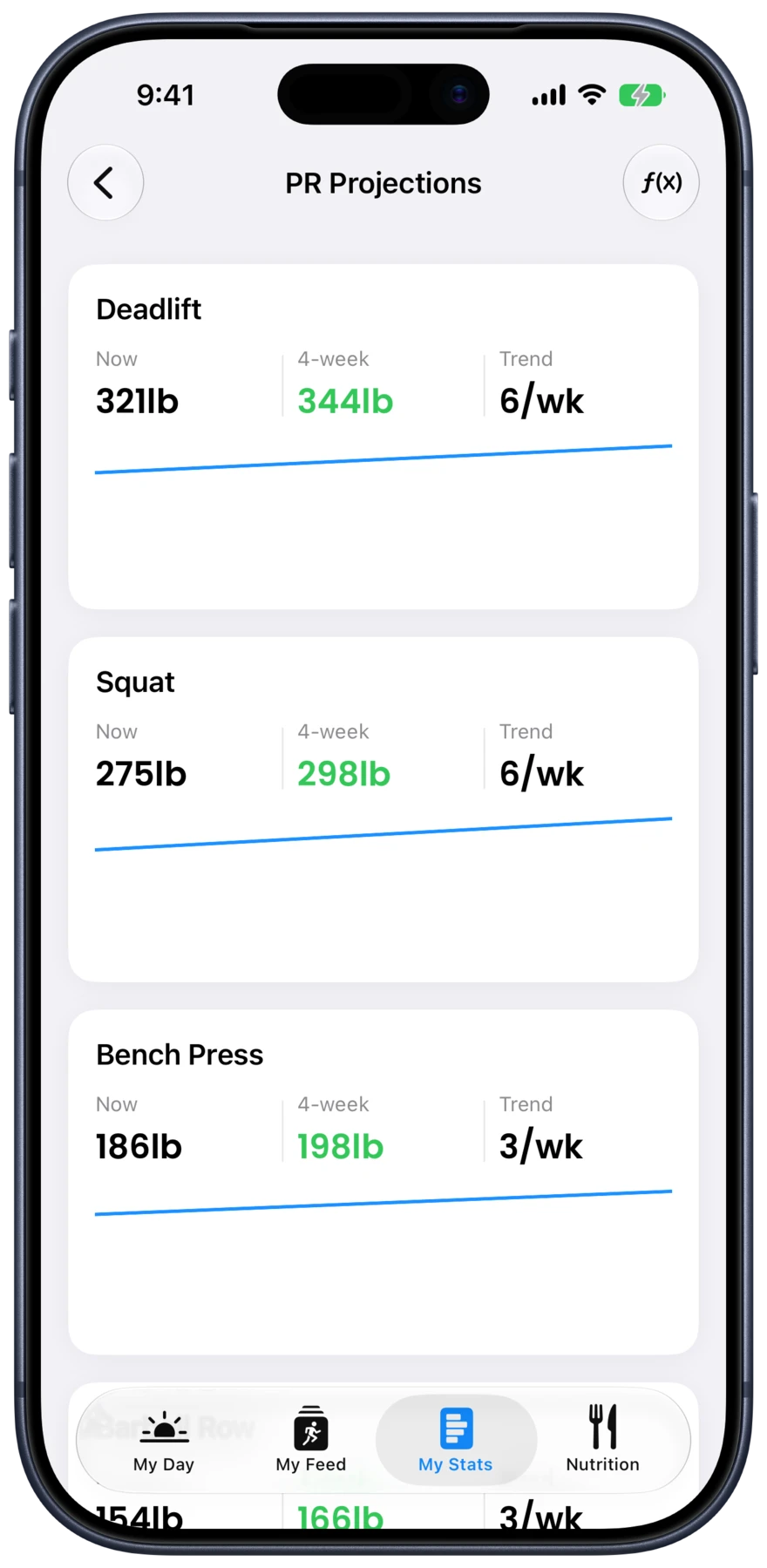
Know where your lift is going.
See where each of your lifts is headed if you keep going. Your personal records (PRs) are just your own bests, and training with data lifts the ceiling.
The workout
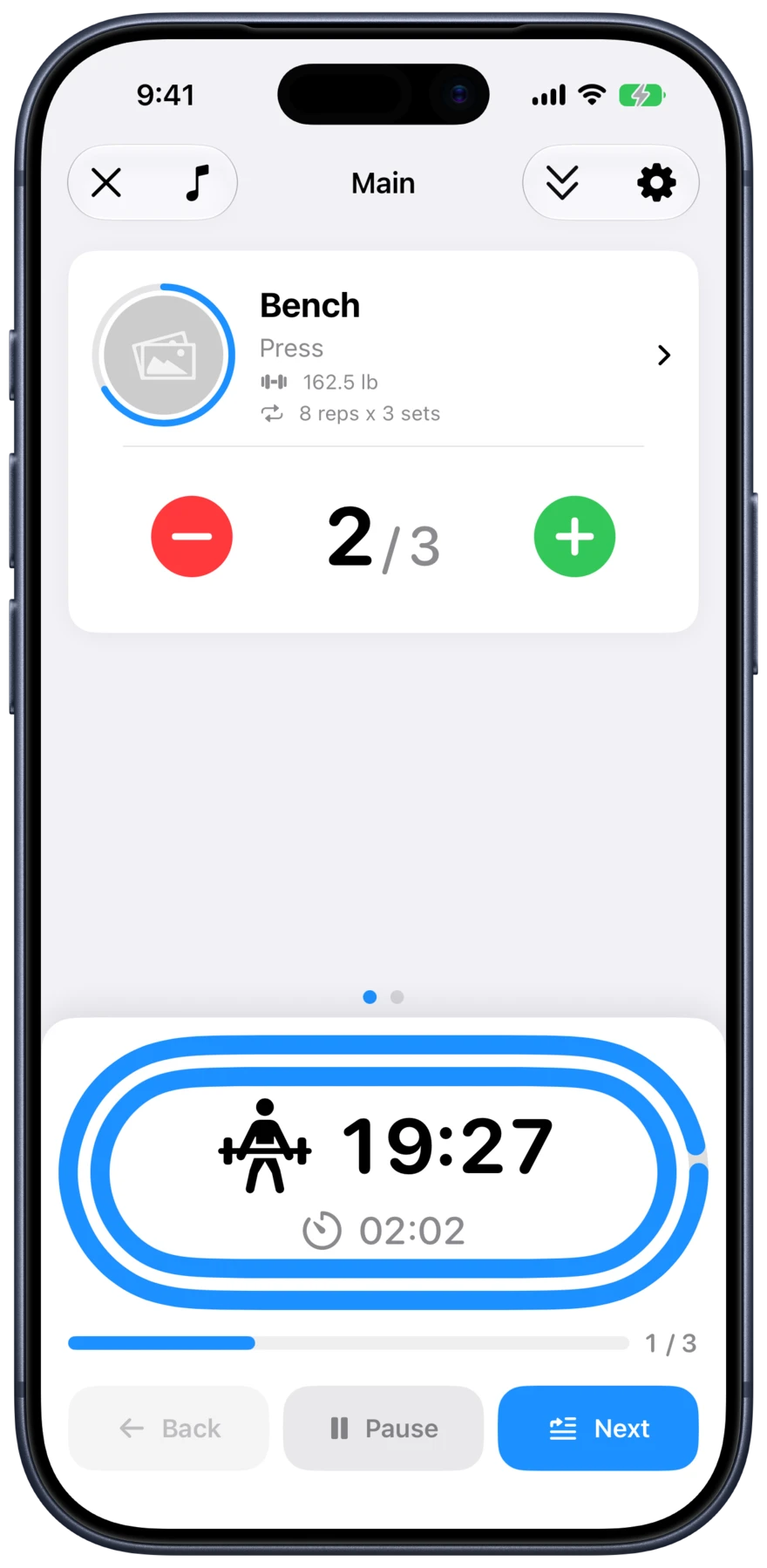
Log it in seconds.
One tap logs a set. The rest timer starts on its own. Works from your wrist on Apple Watch. The app gets out of the way.
Built for
every lifter.
Free To Use
Every feature, unlocked, for everyone. No subscription and no paywall.
Works Offline
Your whole history and all 400+ exercises live on your iPhone. A basement gym, a plane, no signal at all, and nothing changes.
Private By Design
Your training syncs through your own iCloud account, not our servers. No ads, no ad tracking, and the anonymous usage stats can be switched off in Settings.
400+ Exercises
Filter by muscle, equipment, or difficulty. Every movement includes animated demonstrations and step-by-step instruction.
Apple Watch Ready
Log sets, track rest, and complete workouts without touching your phone.
Tells You What to Lift Next
Suggestions for when to add weight or reps, based on your own history, with rest timers that start on their own.
0.0 out of 5 on the App Store.
0+ exercises in the library.
Wherever you're starting from.
What LiftLogic is
LiftLogic is a workout tracker for iPhone and Apple Watch. You log what you lift, it remembers all of it, and it shows you whether the numbers are actually moving. That is the whole product. There is no feed, no coach shouting at you, and nothing to configure before it becomes useful.
It is built for people who are still early. Most trackers assume you already know what a working set is, how much weight to add, and when to back off. LiftLogic starts from the other end: pick a workout, follow it, and the app fills in the parts you have not learned yet. Lifters who already know all of that get the same tool with the training wheels out of the way.
When you finish a lift, it tells you what to do with it next session: add weight, add reps, or run it back. Your sleep feeds into that too, so a rough week lowers the load instead of handing you a session you cannot finish. Rest timers run themselves between sets, on your phone or from your wrist.
All of it is free. Not free-to-start: it is free, with no subscription and no in-app purchase. Your training stays on your iPhone and syncs through your own iCloud account, so it is not sitting on our servers for us to read.
Common questions
LiftLogic is a free workout tracking app for iPhone and Apple Watch. It logs your sets, reps and weight, tracks your personal records over time, and tells you what to lift next. It ships with over 400 exercises, each with an animated demonstration and step-by-step instructions. Every workout adds its kilos to your bar, which carries a pair of real things at true scale, from two watermelons up to two Eiffel Towers.
Anyone lifting weights, but it is designed around beginners first. If you have never followed a program, the app picks the workout and tells you what to add each week. If you have trained for years, the same logging and progress tracking is there without getting in your way.
It reads your own history. After each session it compares what you completed against what it asked for, then suggests adding weight, adding reps, or repeating. Sleep data from Apple Health adjusts the load as well, so a badly rested week gets an easier session rather than a failed one.
Three things. It is genuinely free, with no subscription. Your training lives on your device and syncs through your own iCloud account rather than our servers, and there are no ads and no ad tracking. And it works with no signal at all.
Everyone starts
with two watermelons.
Free. No subscription. No account.